 Posture Reminder: Stand Up
Stop Slouching. Fix Your Posture. Feel the Difference in Weeks.
Posture Reminder: Stand Up sends smart, perfectly-timed nudges to sit up straight and stand up from your desk — so you beat back and neck pain, stand taller and build a posture habit that sticks. No wearables. No hardware. Just your iPhone.
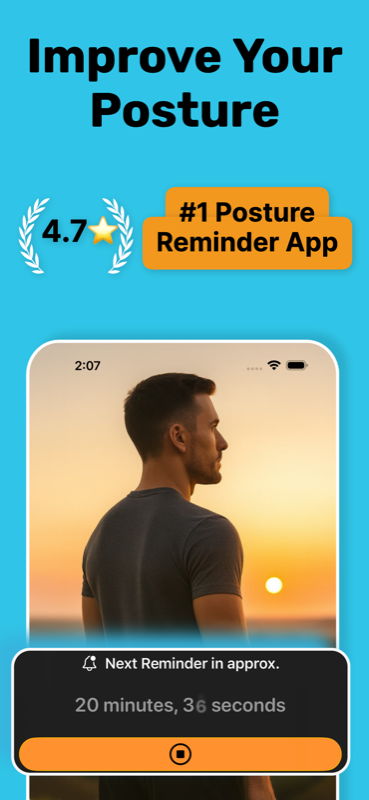
Sitting all day is wrecking your posture. Awareness is the fix.
Slouching isn't a strength problem — it's an attention problem. You sit down with good intentions, then work steals your focus and your shoulders roll forward. Poor posture drives neck, back and shoulder pain, restricts breathing, and over time contributes to kyphosis and rounded shoulders. A well-timed reminder resets you before the damage accumulates.
Made for desk workers
Office workers, remote workers, students, gamers and drivers — anyone who sits for hours and catches themselves hunching over a screen.
Nudges, not nagging
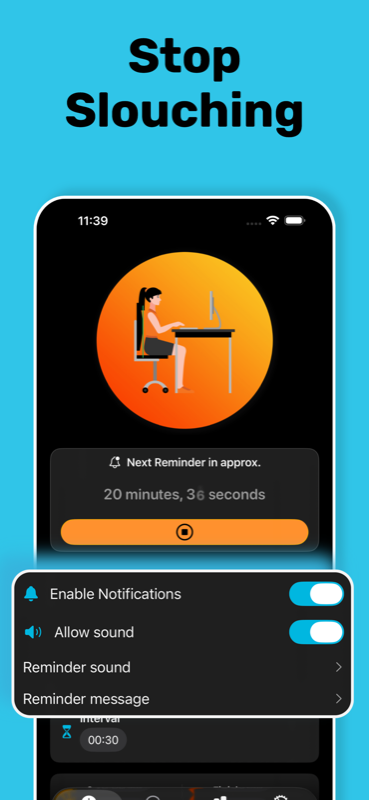
Choose your interval, your hours, your sound and even your message. Reminders fire when you need them — and stay silent when you don't.
Habits that stick
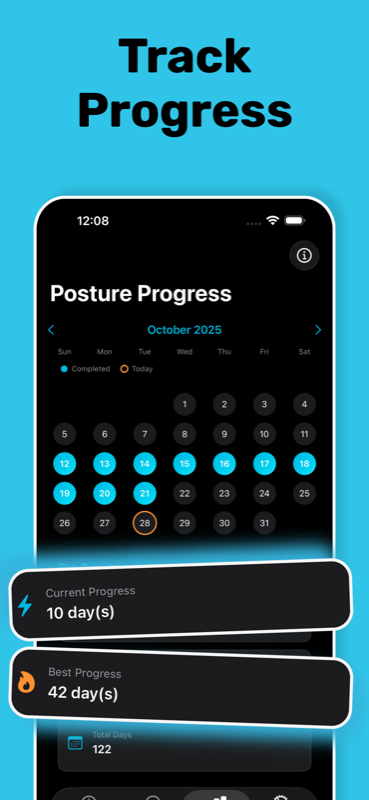
Streak tracking turns posture into a daily win. Watch your best streak climb and your slouch-free days add up on the calendar.
Everything you need to fix your posture — nothing you don't
Lightweight (~18 MB), private, and ready in under a minute.
Better posture in 4 simple steps
Set your interval
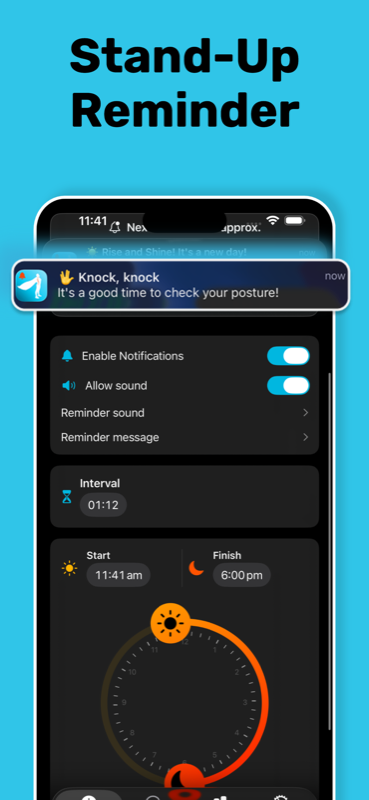
Pick how often you want a posture check — every 20 minutes, every hour, whatever fits your workflow.
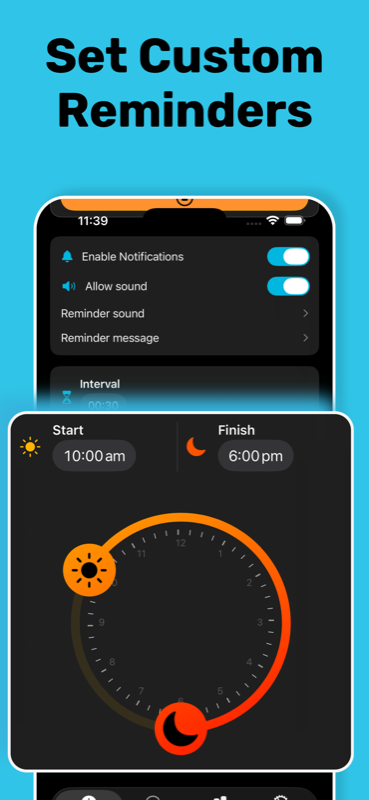
Set your hours
Reminders run only during your working hours — say, 10:00 am to 6:00 pm — and leave your evenings alone.
Get the nudge
“👋 Knock, knock — it's a good time to check your posture!” Sit tall, roll your shoulders back, or stand up and stretch.
Build the streak
Every consistent day is marked on your progress calendar. Current streak, best streak, total days — posture becomes a habit.
Learn how to fix your posture — step by step
Practical, no-fluff guides on beating slouching, text neck and desk-job back pain — and how to use reminders to make the fix permanent.
How to Fix Bad Posture from Sitting All Day
The full plan: what causes bad posture, how to correct it, and how to make it stick.
Read the guide →Desk WorkersHow to Stop Slouching at Your Desk
Why willpower fails within minutes — and the reminder method that actually works.
Read the guide →App GuideThe Best Posture Reminder App for iPhone
What to look for in a posture app, and how Posture Reminder: Stand Up compares.
Read the guide →MovementHow Often Should You Stand Up from Your Desk?
What the research says about sitting time — and how to set the perfect stand-up reminder.
Read the guide →Neck PainHow to Fix Text Neck: Exercises & Prevention
Undo the damage of looking down at your phone with stretches, habits and reminders.
Read the guide →ErgonomicsHow to Sit Properly at a Desk
The correct sitting posture, your ideal desk setup, and how to actually hold it all day.
Read the guide →Exercises7 Posture Exercises You Can Do at Your Desk
Fix rounded shoulders and forward head without leaving your chair.
Read the guide →HeightDoes Good Posture Make You Taller?
How much height slouching steals from you — and how to get it back.
Read the guide →TimelineHow Long Does It Take to Fix Posture?
Realistic timelines, what speeds them up, and why streaks beat intensity.
Read the guide →Posture questions, answered
How do I stop slouching at my desk?
Willpower alone fails because posture awareness fades within minutes of focused work. The fix is external reminders: get a nudge every 20–45 minutes, reset your position (feet flat, hips back, ribs over pelvis, screen at eye level), and pair it with a couple of daily desk stretches until upright sitting becomes automatic. Learn more →
What is the best posture reminder app for iPhone?
Posture Reminder: Stand Up is a 4.7★-rated posture reminder app that needs no wearable hardware — just your iPhone. Custom intervals, working-hours scheduling, custom sounds and messages, posture exercise guides and streak tracking, free to download. Learn more →
How often should I stand up from my desk?
Ergonomics research recommends standing and moving for 1–3 minutes at least every 30–60 minutes of sitting. A stand-up reminder handles the remembering for you, during your working hours only. Learn more →
How do I fix text neck?
Raise your phone to eye level, do daily chin tucks and neck stretches, and break up long head-down sessions with posture check reminders. Consistency, not intensity, reverses text neck. Learn more →
What is the correct way to sit at a desk?
Feet flat, knees near 90°, hips all the way back, lower back supported, shoulders relaxed, screen top at eye level. Then schedule reminders — because nobody holds perfect posture on their own. Learn more →
Which exercises fix bad posture?
Strengthen what's weak (chin tucks, wall slides, rows, glute bridges) and stretch what's tight (chest, hip flexors, upper traps). A few desk-friendly moves every day beat an occasional long session. Learn more →
Does good posture make you taller?
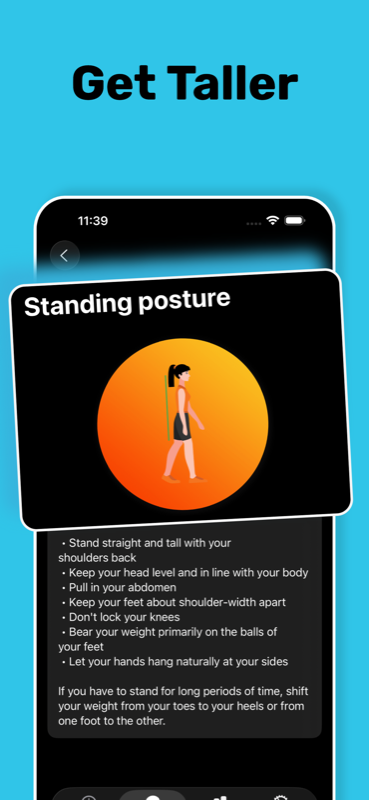
Standing tall can restore 1–2 cm of height lost to slouching — and instantly makes you look taller and more confident. Daily reminders help you keep that height all day. Learn more →
How long does it take to fix bad posture?
Expect to feel a difference in 2–4 weeks and see lasting change in 3–6 months. Consistency is the whole game — which is exactly what streak tracking is for. Learn more →
Your back will thank you in two weeks.
Download Posture Reminder: Stand Up free, set your first reminder in under a minute, and start your streak today. iPhone & iPad · iOS 16+ · 33 languages.